I moved from Insurance to PhonePe’s Design System team ahead of a company-wide redesign. Lending a hand became my core role: building, scaling and governing the system, and partnering with developers to close the gap between design and code.
Moving Away from Figma
Designing reusable components in Figma has one big gap: specs like states, interactions, behaviour and accessibility aren’t native to Figma’s component properties. They have to be documented separately, and in the middle of building, these finer details are easy to skip.
Building on Web
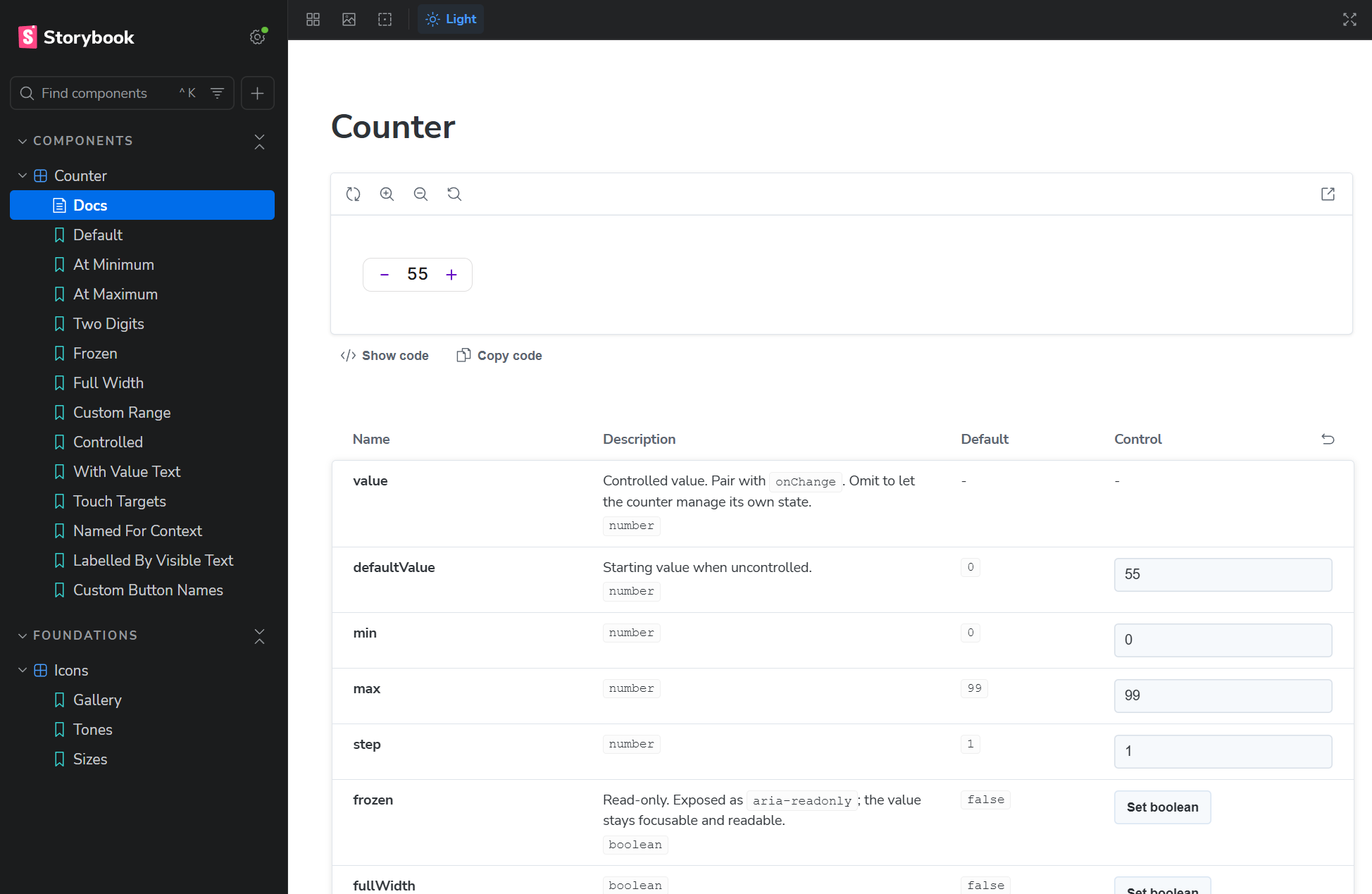
We set up Storybook as our space to build components. As you iterate, you can watch the component API take shape: props, events, behaviour and interactions are all in front of you as a working component, not a visual matrix on a Figma canvas.
It’s also where we’ll collaborate with platform devs to refine each component, which works far better than reviewing static frames in Figma.
Component Contract
Once a component is ready, the next step is handing it off to iOS and Android developers. For this, I built a tool that reads the web component, defines a contract from it, and translates that contract into platform-specific specs.
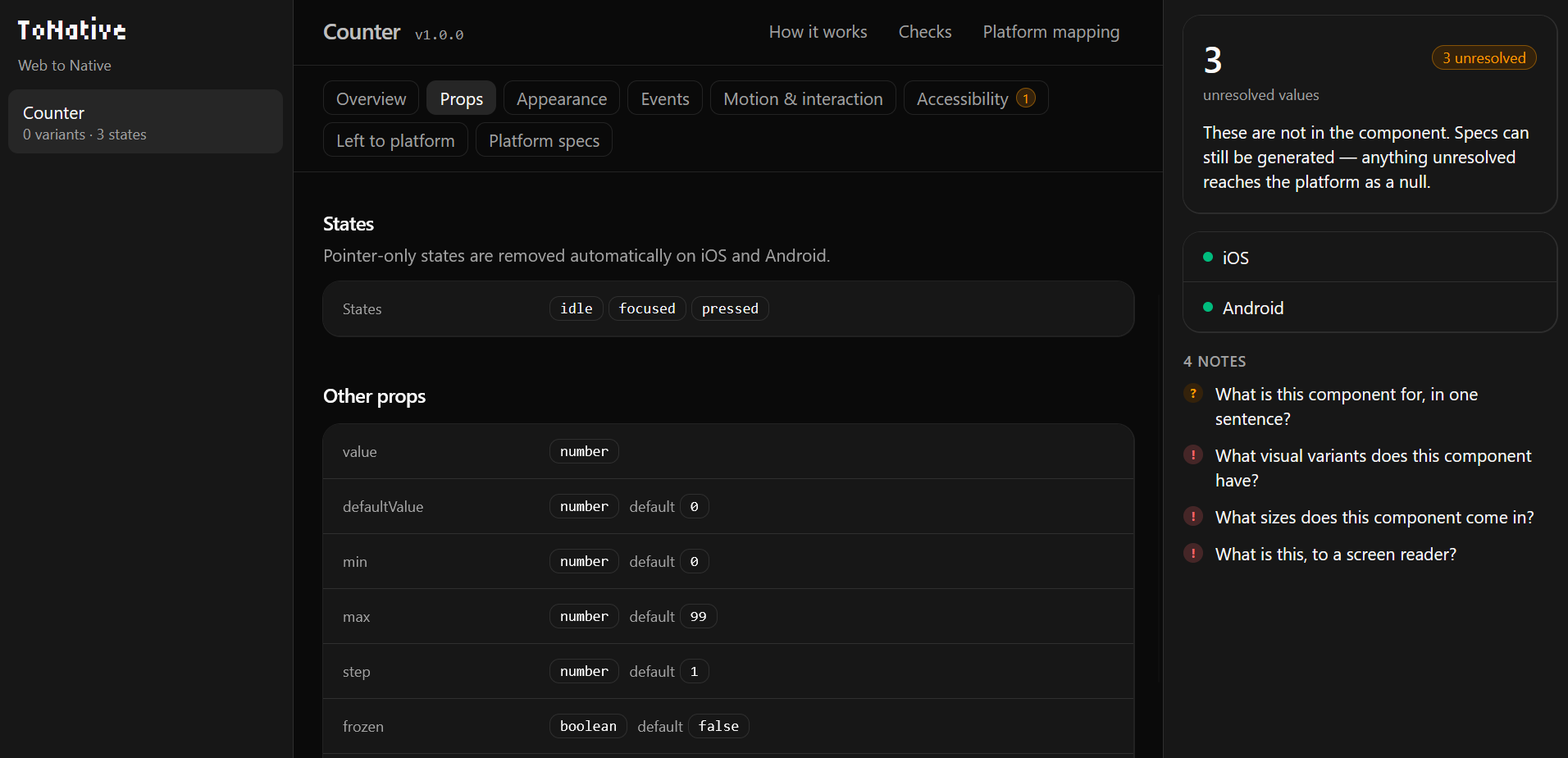
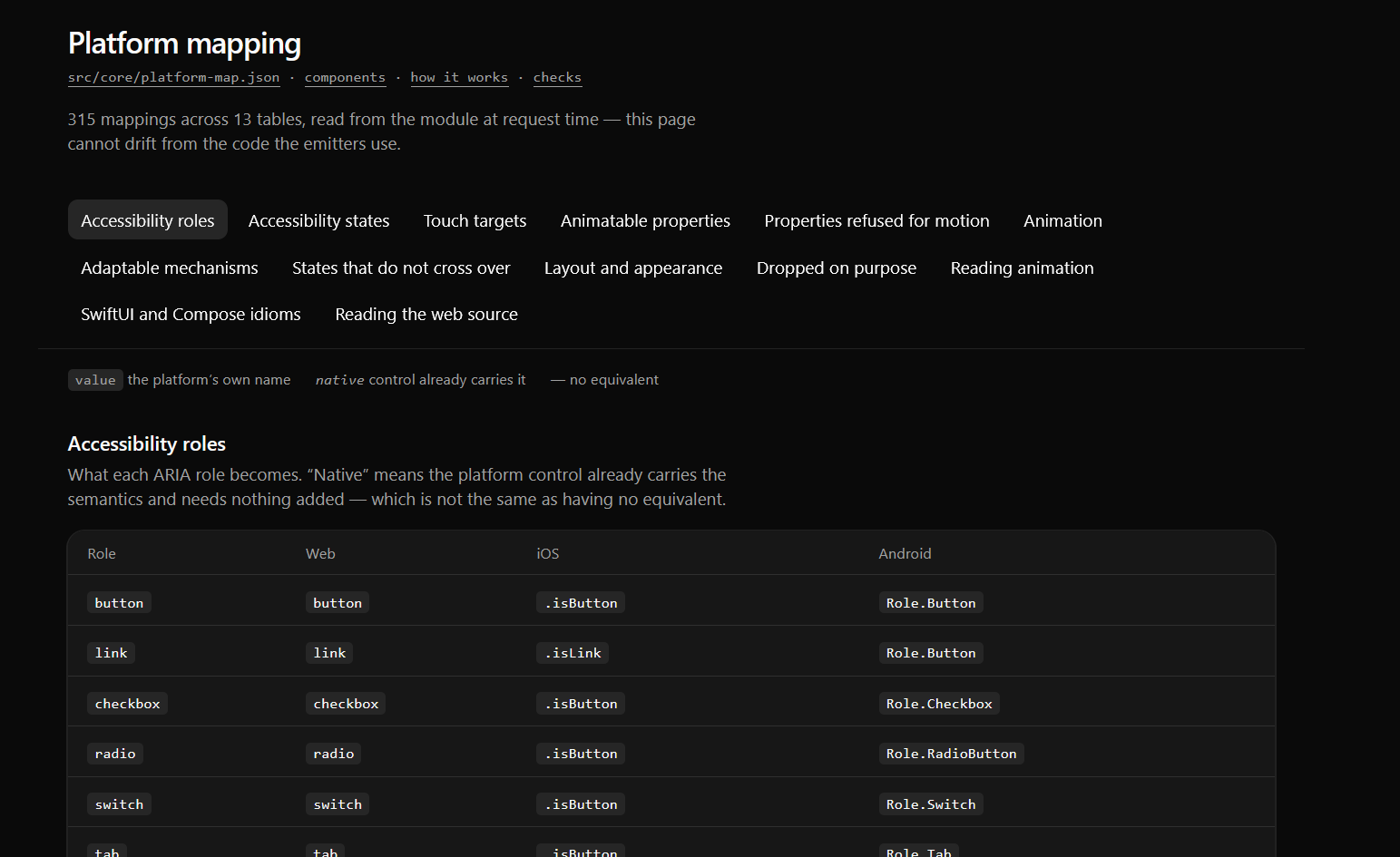
The tool outputs a JSON spec for each platform. It doesn’t invent anything: it uses a set of predefined mappings to translate web concepts into their Jetpack Compose and SwiftUI equivalents. Where something has no direct translation, it leaves that decision to the platform.
Platform Specs
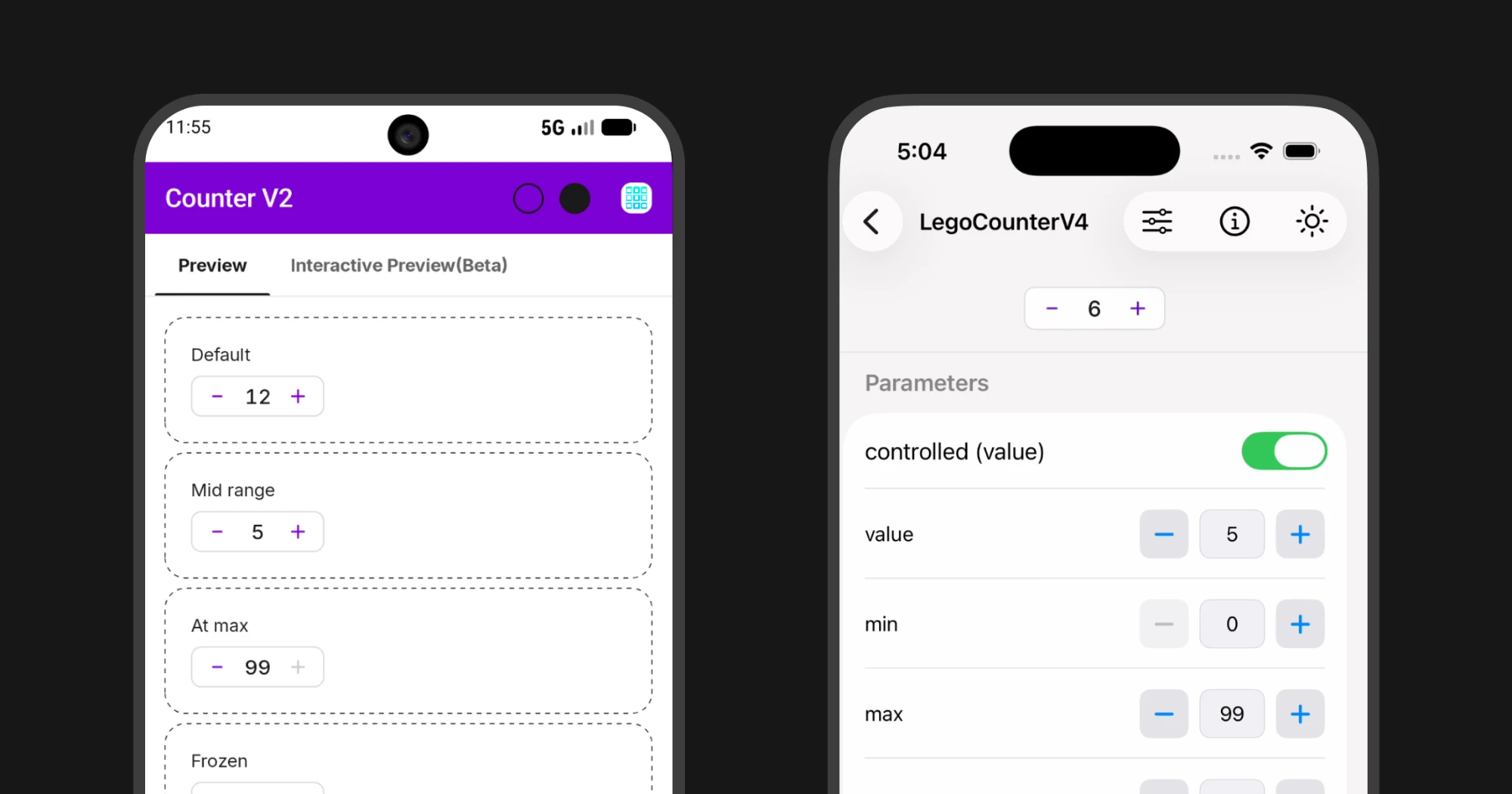
After a few iterations, the platform specs reached a solid state. The JSON clearly carried every design decision, including interactions, animations and behaviour, consistently across both platforms.
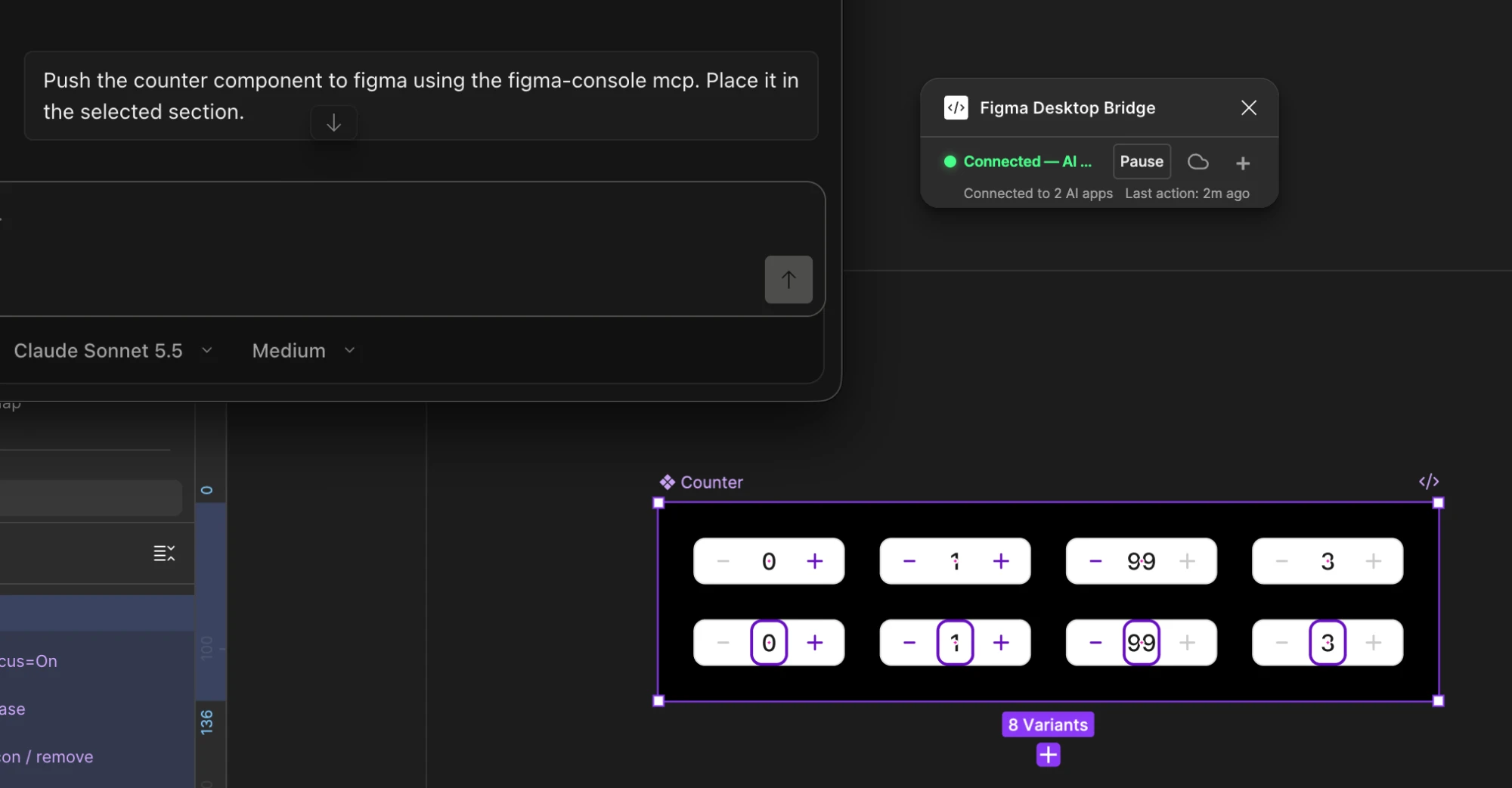
Similarly, we used figma-console mcp to push web components into Figma for designers to use.
Next Steps
This workflow worked well for us. To make it our standard way of working, the next step is moving the source of truth to code for existing components. The approach we’re exploring is a web-based clone of the current design system, maintained by the design team. It becomes the base for generating platform specs, and over time, existing components get replaced with these new versions.
New Color Palette
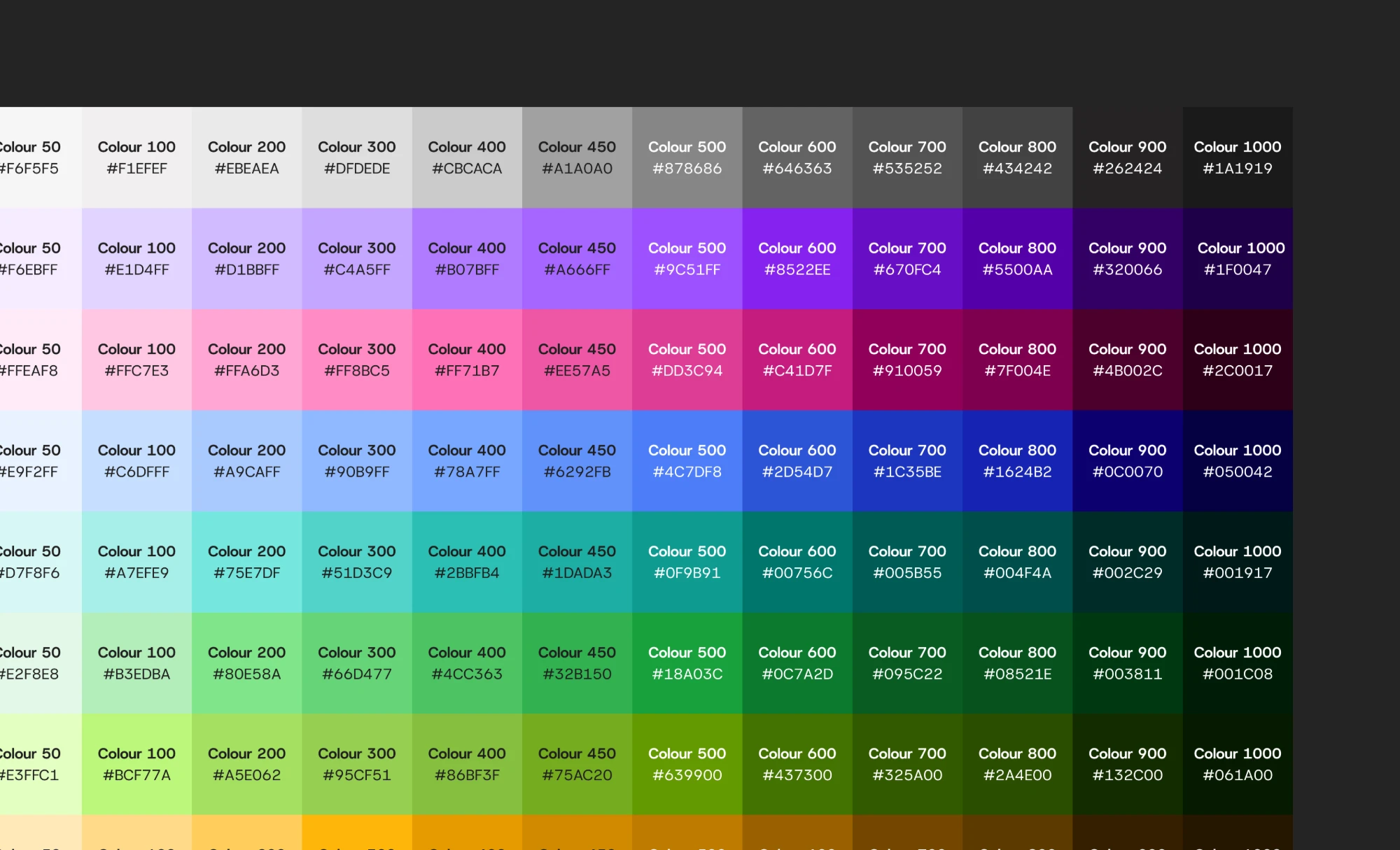
The product design team created a new color palette, since the old one needed a refresh and lacked the right values, especially for dark theme. The Design System team’s task was to swap the old palette for the new one without causing visual issues. That was the tricky part: many older screens in the app used design system tokens outside their intended context, so a straight swap risked breaking things.
Scope of Work
This meant replacing the entire base color layer with a new palette. The new set had a different number of colors and a different ramp, so it wasn’t a one-to-one swap. The change would affect 500+ tokens across the app, including semantic and component tokens. That’s admittedly too many, and something we plan to clean up.
Approach
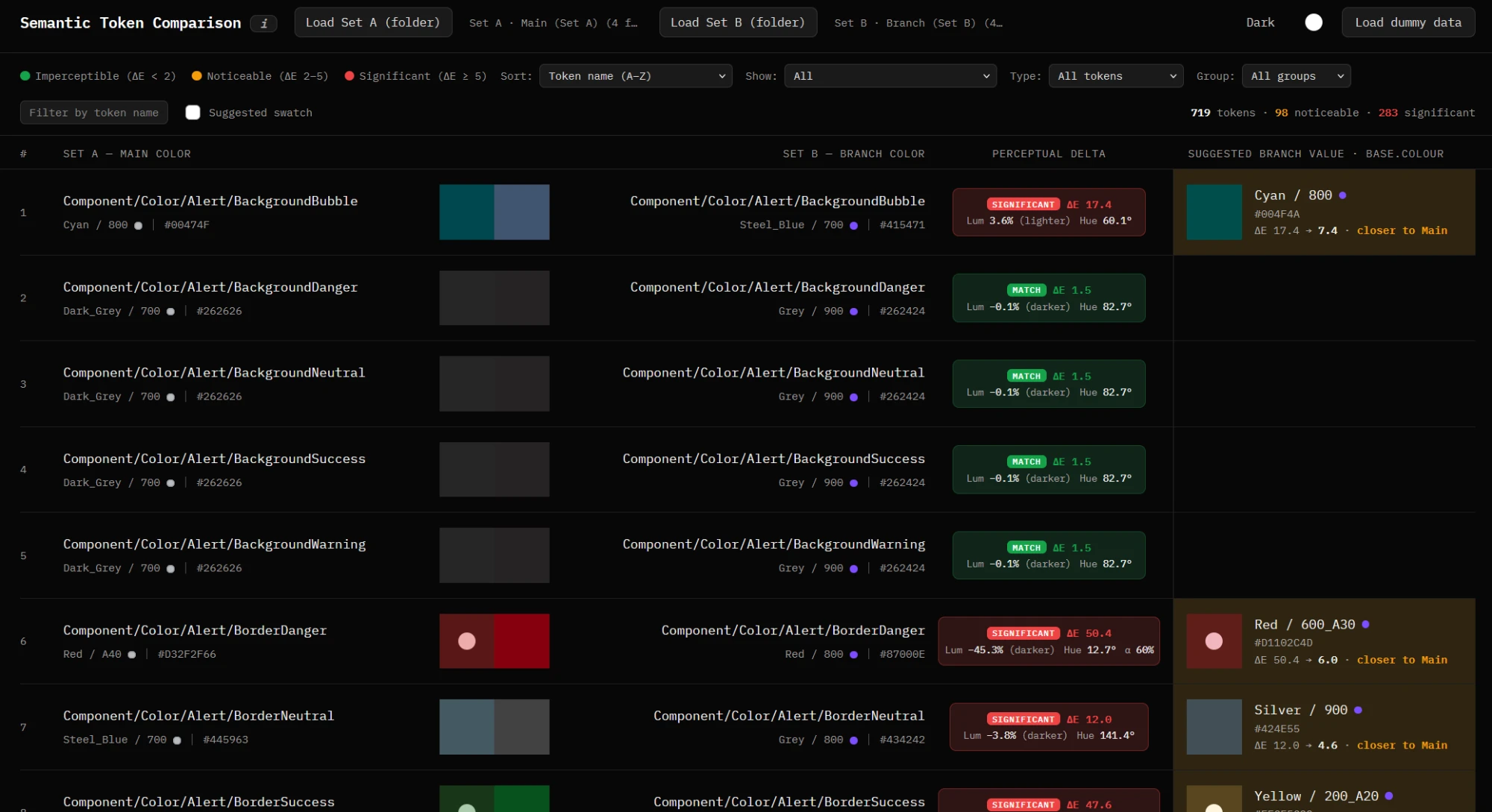
To make the switch without introducing visual issues, I built a tool that snapshotted every current token value and compared it against the new values proposed by the team.
For each token, it then suggested the closest match from the new base palette, following a simple rule:
Text tokens
- Find the 2 closest new base values to the current value.
- Calculate the contrast ratio of each candidate against the theme’s reference background:
#FFFFFFfor light,#000000for dark. - Pick the candidate with the higher contrast ratio.
Background, Border and all other tokens
Pick the single closest new base value.
Results
With the tool and some manual effort, we updated the color palette across the entire app without any dedicated engineering bandwidth. A few screens did show issues where tokens had been used outside their intended context, but we’d anticipated this going in.
A11y Exercise (wip)
[Placeholder] Results, metrics and adoption.
PP 3.0 Redesign (wip)
[Placeholder] Learnings and the people you worked with.